Features
Everything you need to move research forward.
Enter your study once. Search, plan, calculate, write and track in one workspace, with the documents following from what you entered.
Design your protocol
Guided sections for objectives, population, variables, statistics and ethics.
Search the literature
Search OpenAlex, PubMed and Crossref, then save records to a study.
Calculate sample size
Nine study designs, free to use without an account.
Manage references and PDFs
Import, tag, de-duplicate, annotate and search your sources.
Write with citations
An editor with a live bibliography, autosave and version history.
Ask the AI assistant
Help grounded in your own project. Uses AI credits.
The research workflow, in one place
Each step feeds the next, so nothing is entered twice.
Design
Protocol and methodology
Search
Find the literature
Organise
References and PDFs
Calculate
Sample size and tests
Write
Manuscript and citations
Track
Milestones and deviations
Protocol
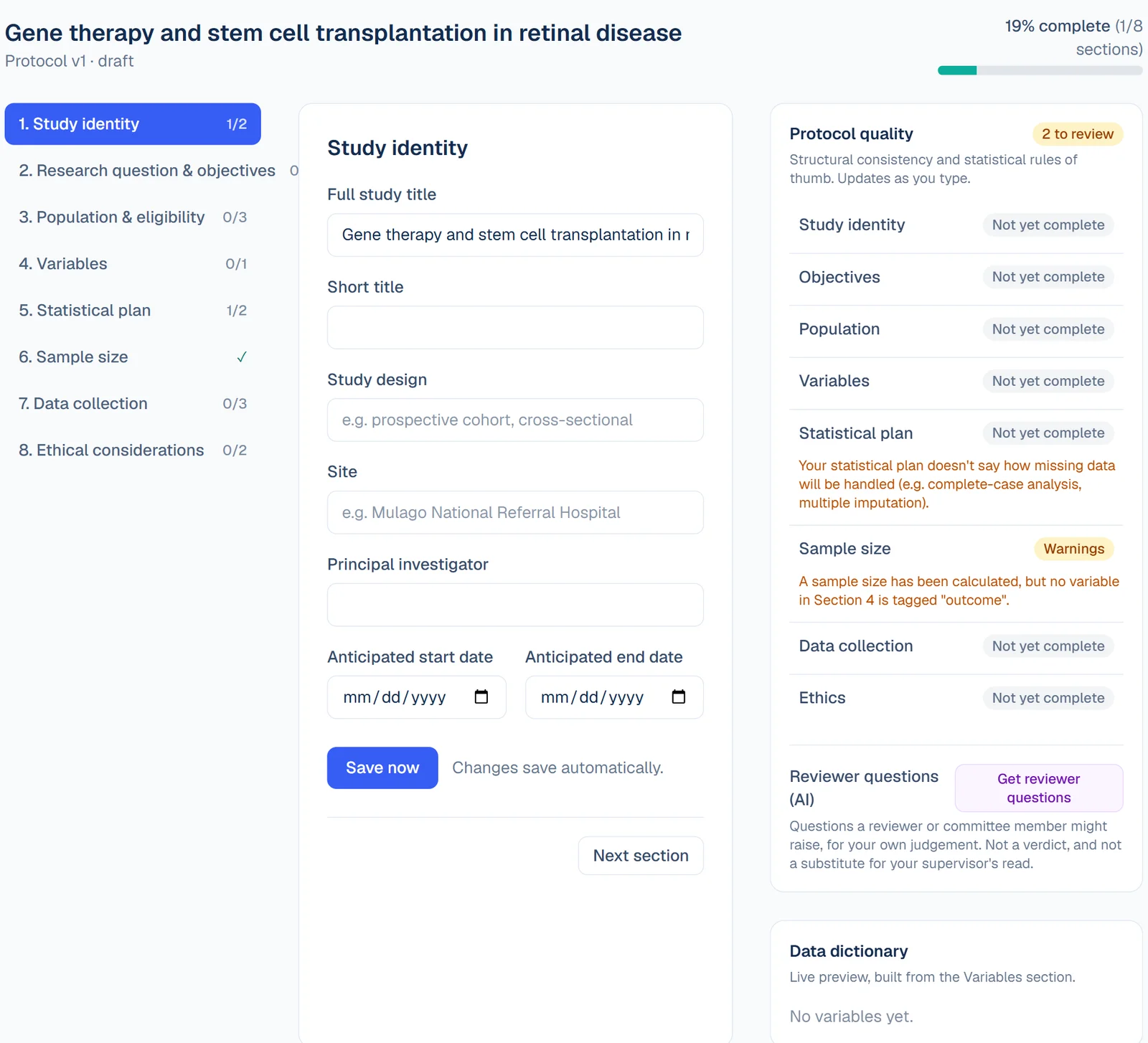
Research Protocol Builder
Structured sections for identity, objectives, population, variables, statistics, data collection and ethics.
- Enter study details once in guided sections instead of free-form documents.
- Text sections save automatically after you stop typing. Objectives and variables save when you select Save, and unsaved changes are flagged.
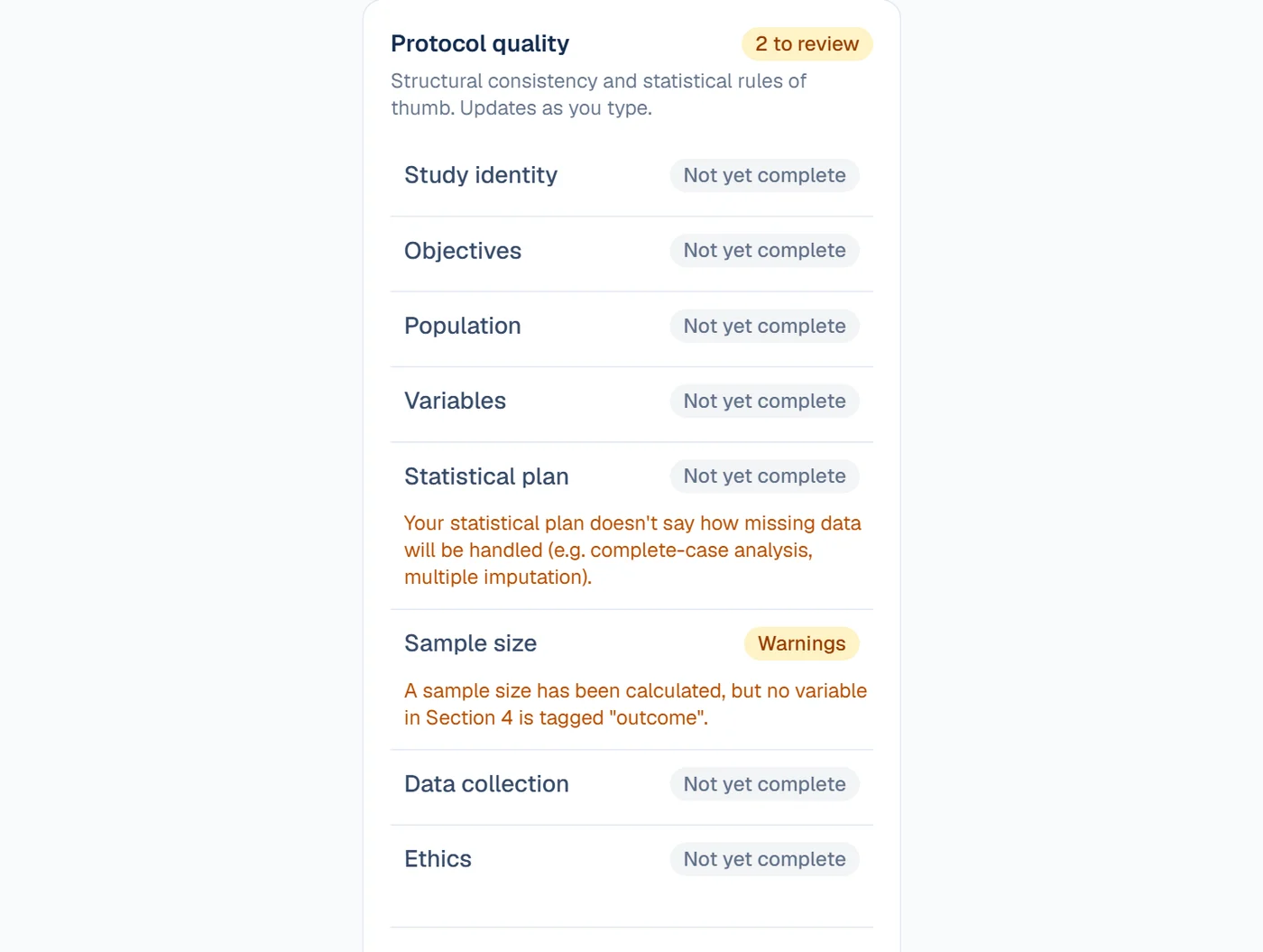
- A completion tracker shows which sections still need attention.
Literature
Literature Explorer
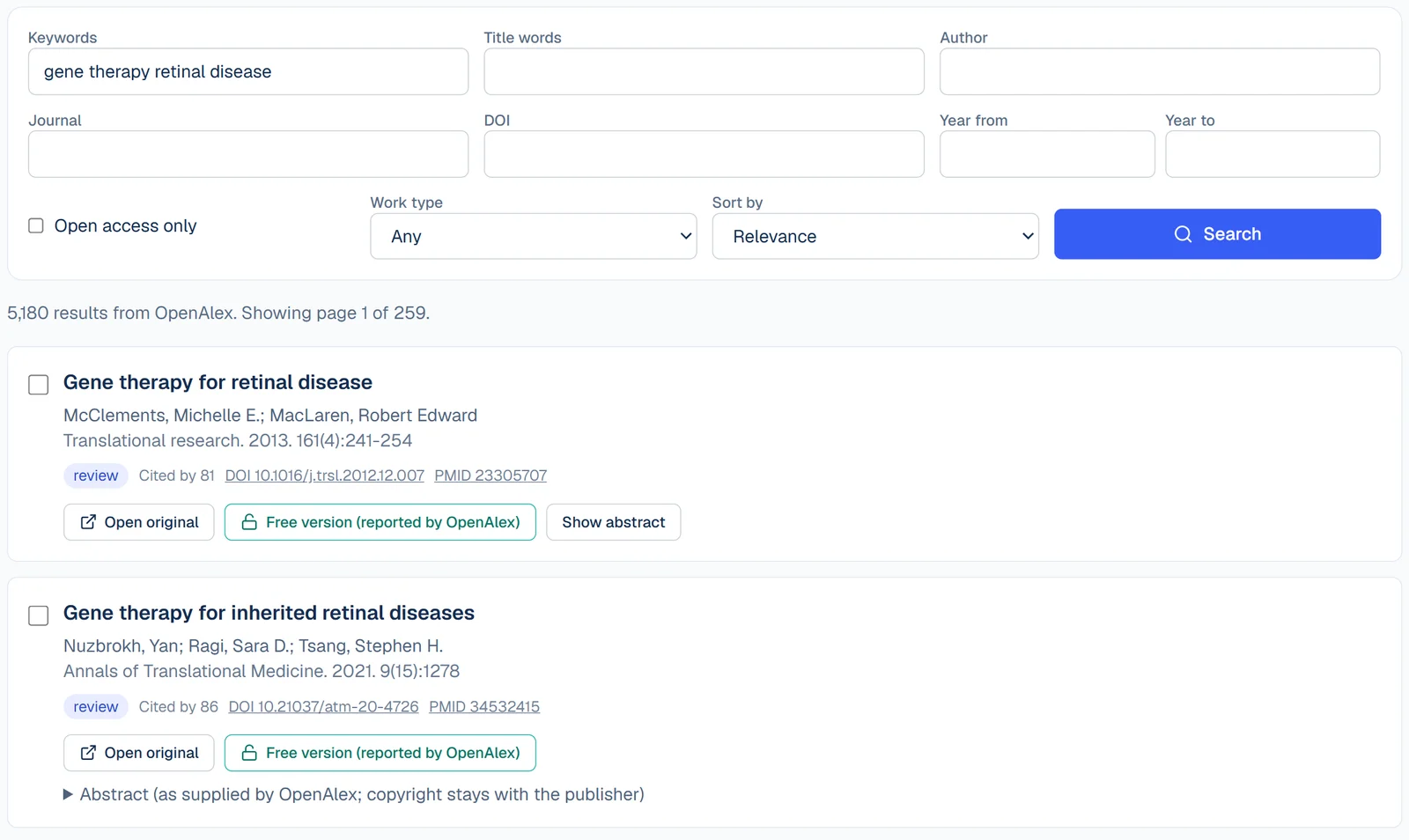
Search OpenAlex, PubMed and Crossref, open the original paper, and save records to a study.
- Search by keyword, title, author, journal, DOI and year, with filters for open access (where the source records it), work type and, in PubMed, study type.
- Results are bibliographic records and abstracts only. ToProt does not hold full texts. A free-version link appears only when the source reports one.
- Export selected records to RIS, BibTeX, EndNote XML or CSV, build an evidence table, or save records to a study. Saved records are fetched again from their source so only verified details are stored.
Sample size and statistics
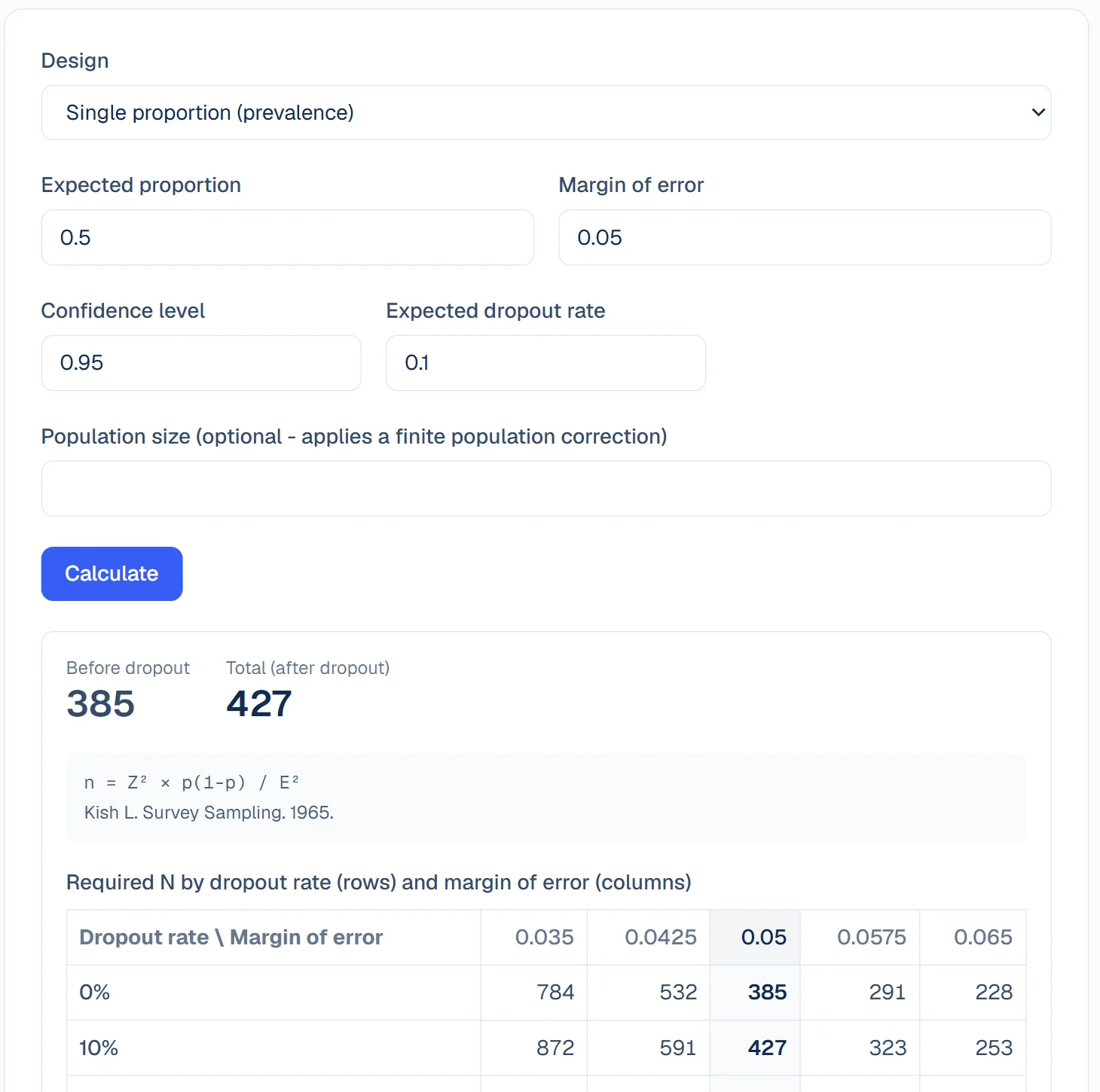
Sample Size Calculator
Nine study designs with a stress test showing how required N moves with dropout and effect size.
- Single proportion, single mean, two proportions, two means, paired means, correlation, sensitivity and specificity, an odds ratio and a cohort relative risk.
- Free to use without an account at /calculator.
- Results can be saved straight into a study protocol.
References
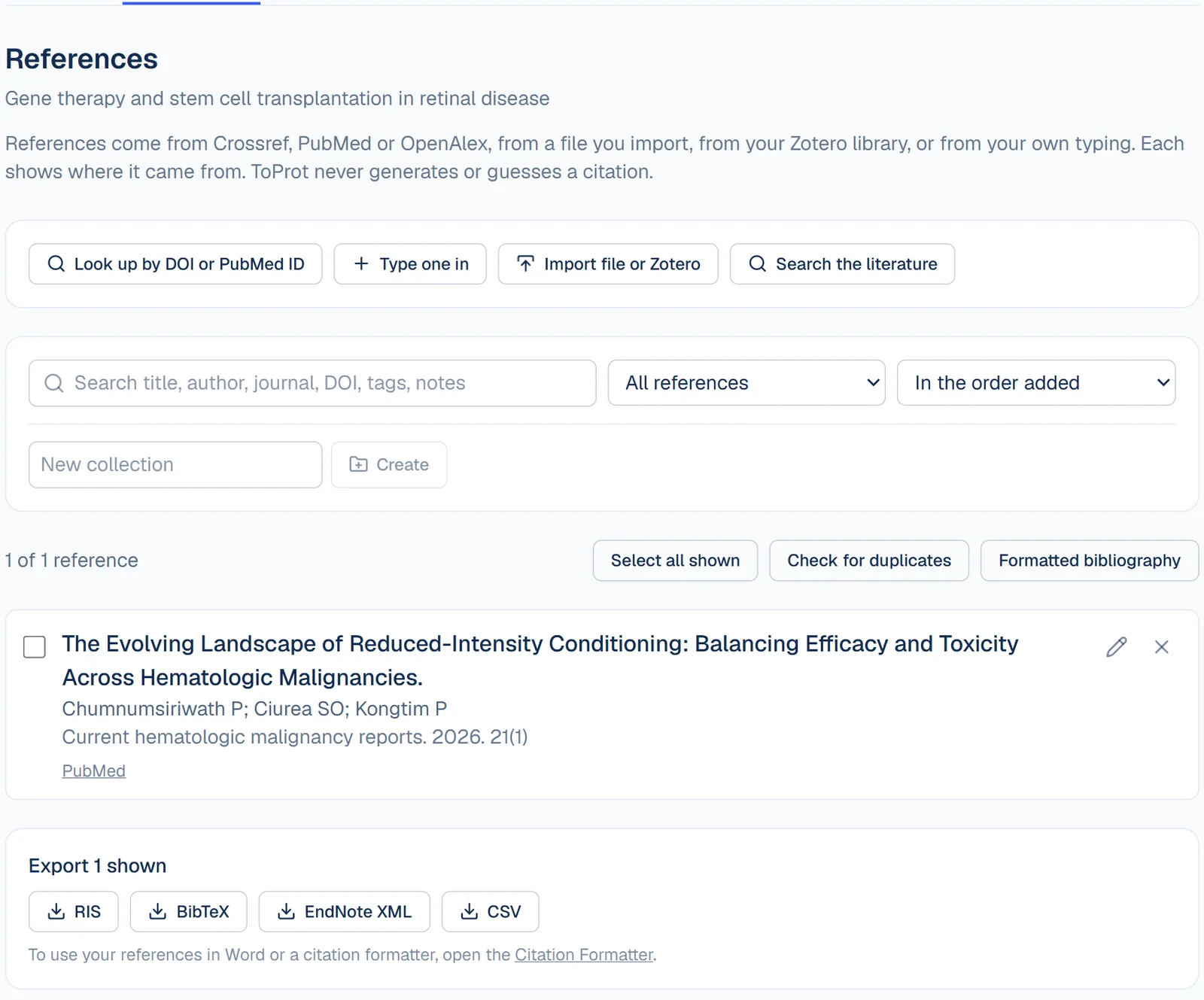
Reference Manager
Keep a study's references organised: look up, import, tag, group, de-duplicate and export.
- Add references by DOI or PubMed ID (details come from Crossref and PubMed), by typing them in, from the Literature Explorer, or by importing RIS, BibTeX or EndNote XML files.
- Import from your own Zotero library using a read-only key that stays in your browser. Mendeley and EndNote are supported through their file exports. Live Mendeley sync is not available.
- Edit details, add tags and notes, group references into collections, search and filter, find and merge duplicates, and export to RIS, BibTeX, EndNote XML or CSV.
Writing
Academic Writing Editor
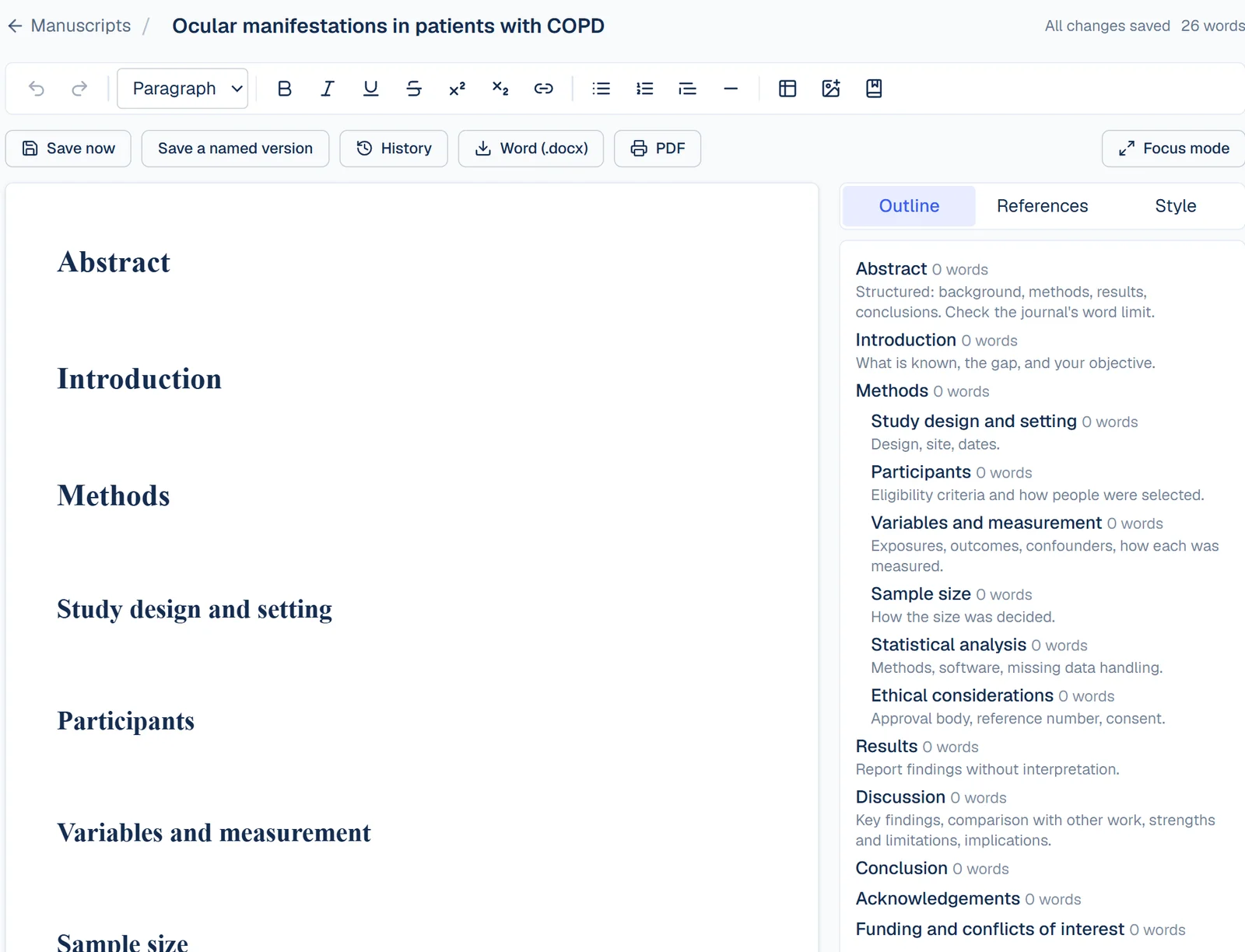
Write manuscripts inside a study, with citations from its references, an automatic bibliography, autosave and version history.
- A rich-text editor (headings, lists, tables, figures with captions) with starting structures for research proposals, original articles, systematic reviews (PRISMA 2020 headings), case reports (CARE headings), theses, dissertations and conference abstracts. Templates add headings only.
- Insert citations from the study's own references. The in-text citations and the reference list update when you change the citation style.
- Autosave, named versions and restore. Export to Word (.docx) or to PDF through your browser's print dialog.
Methodology checks
Methodology Validation
Deterministic consistency checks across your protocol, plus optional AI reviewer questions.
- Rule-based checks flag structural problems, such as missing fields and variable roles that do not match the design.
- Optional AI reviewer questions are phrased as prompts for your own judgement. They never score or approve a protocol.
- AI review uses a limited monthly credit allowance. Everything else works without it.
Also included
Start with your idea.
Calculators are free without an account. A free account gives you the full workspace and an introductory AI credit allowance.